

沒有想要的遊戲禮包?
商品描述
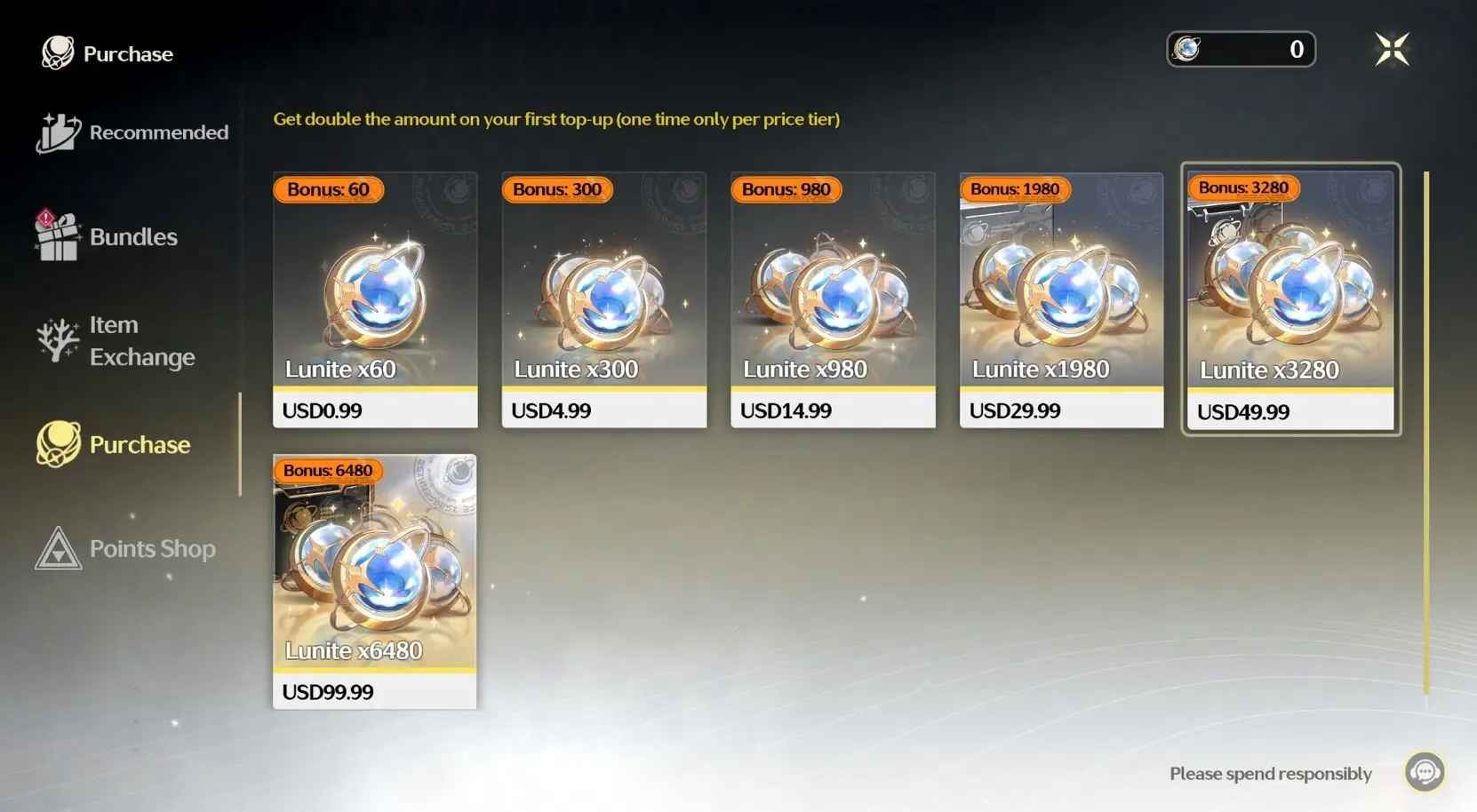
First-Time Top-up Bonus Refreshed Available
- After the Version 2.3 update, the first-time top-up double bonus will reset.
- All Lunite bundles will have their first top-up bonus reset to the initial state.
【Important Top-up Guidance】
- The Login top-up required to log in your game to make the purchase
- Top up information:Wuthering Waves Account, Password, Server and Login method.
- We recommend you to bind the email login method for a faster delivery and higher success rate.
Note: After the payment is successful, you need to cooperate with customer service to provide a Google or Facebook verification code. Please pay attention to the real-time message guidance of the customer service
-------------------------------------------------------------------------------------------------------------------
【How to Top UP Wuthering Waves Lunites and Pack ? 】
1.Place your order and complete the payment.
2.Provide your account information (Google/Facebook Login) after the payment for us to log in and complete the top-up. Please do not log in to the game during this process.
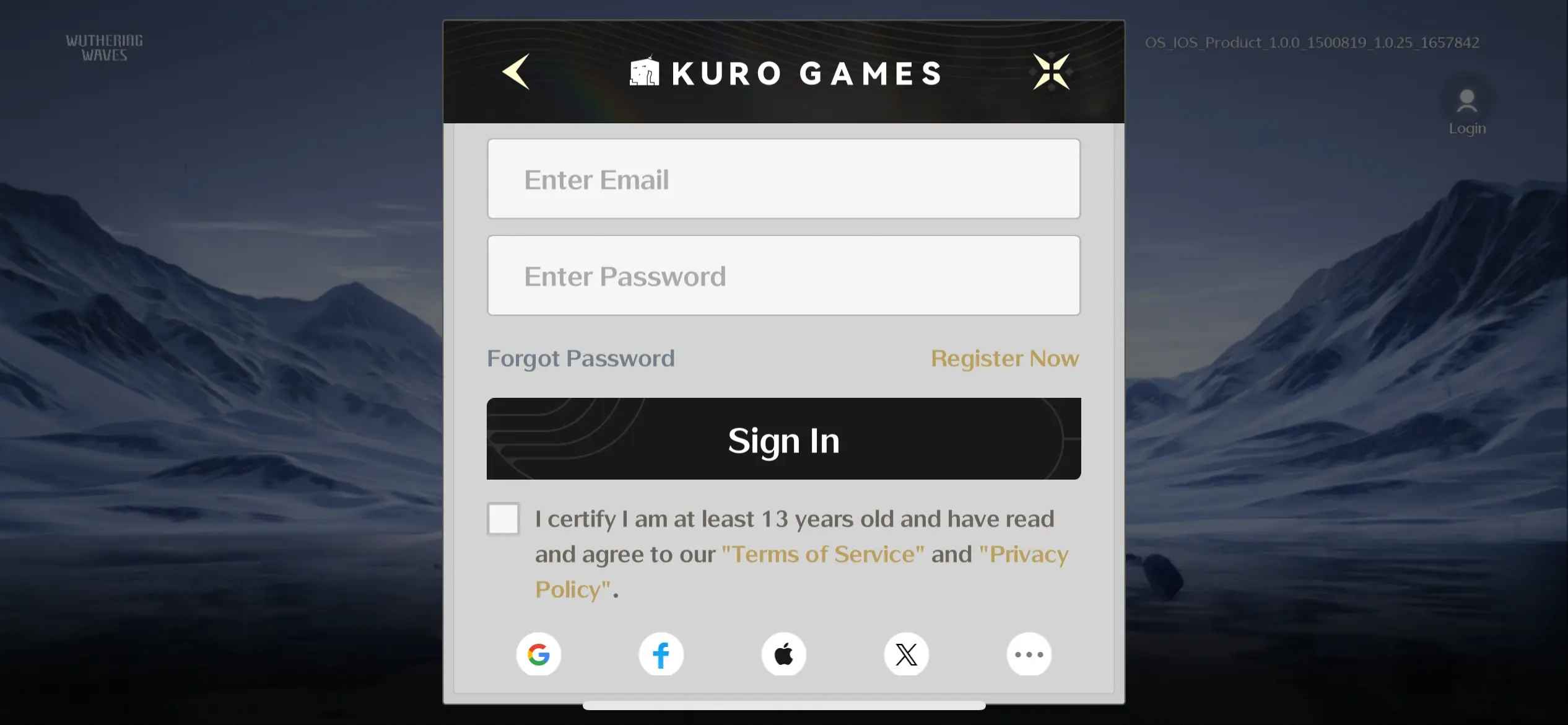
3. We will purchase/top up the items in the game based on the product you ordered.
4. After we complete the purchase/top-up, we will log out of your account and clear the login history.
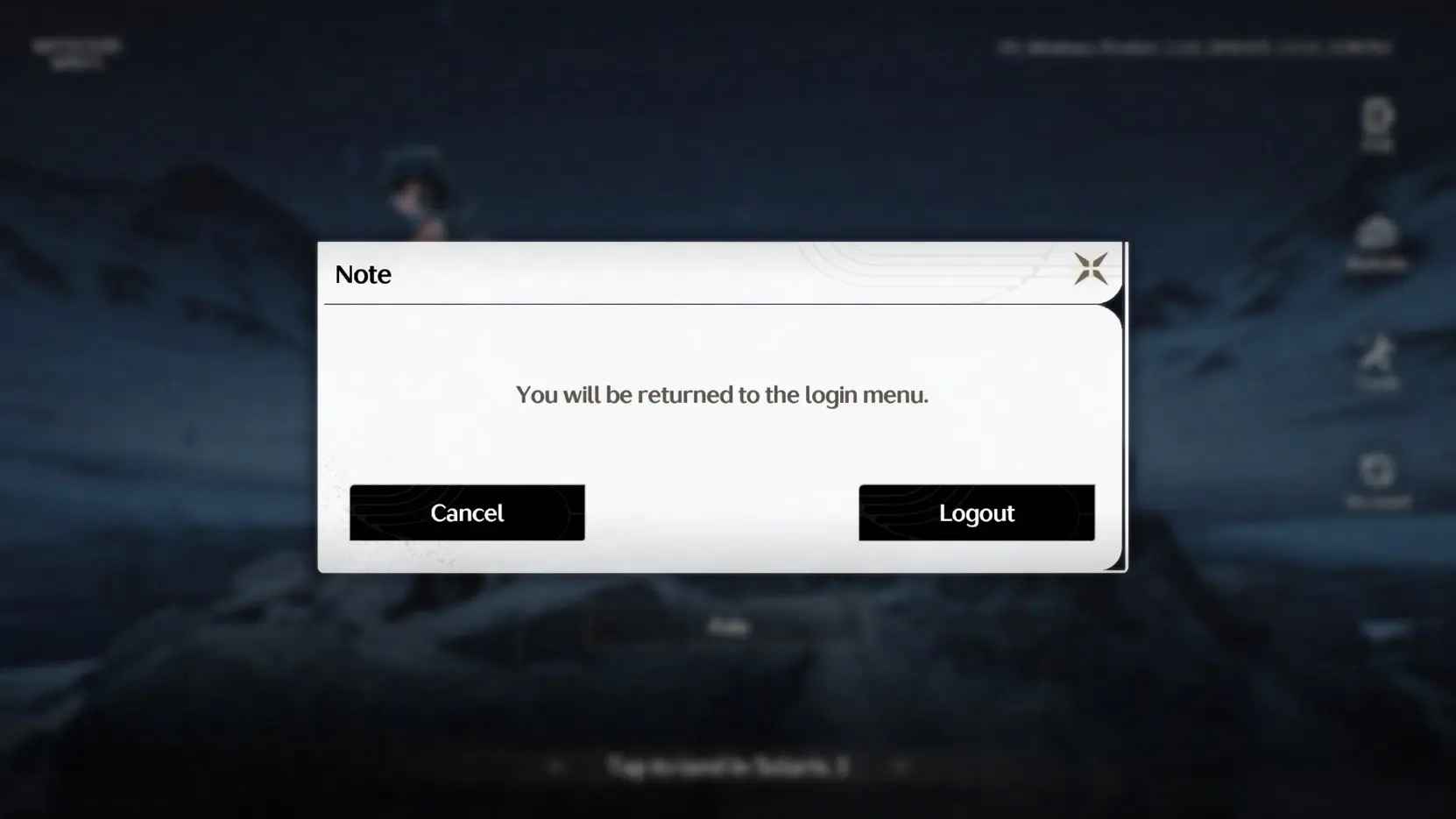
5. You will receive a notification once the top-up is complete, and you can then log in to the game to verify the transaction. To protect your account saftey to the biggest extent, we recommend changing your account password after the transaction is completed.
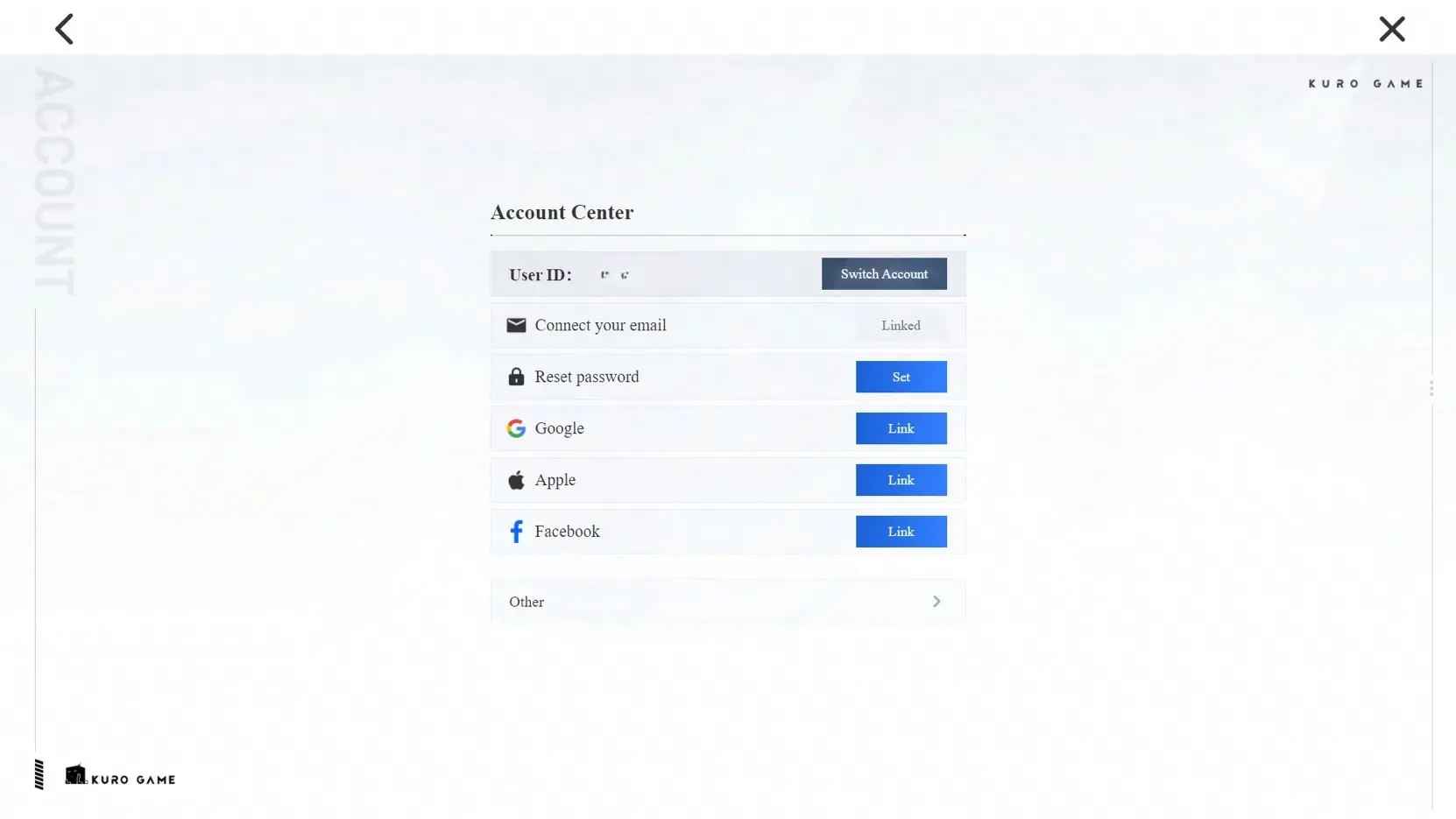
【How to link your email address?】
We recommend that you link your email to your login method to ensure faster delivery and a higher success rate.
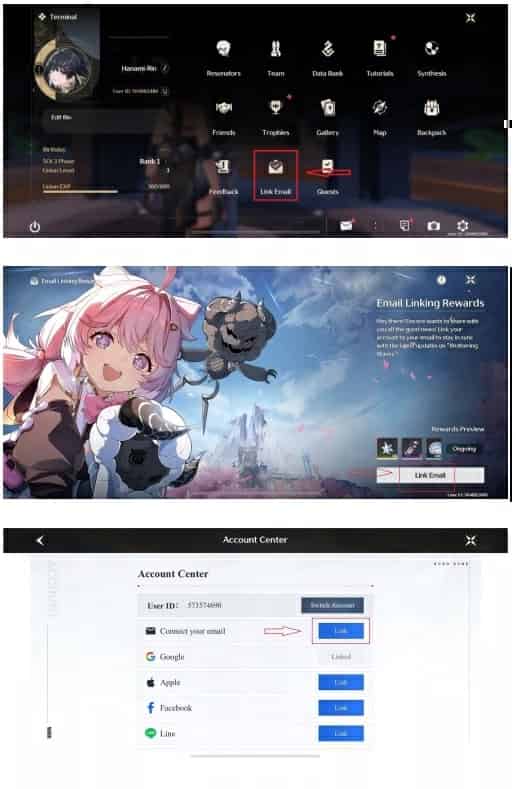
1. Start the game, click Terminal on the upper right, and then settings on bottom right corner.
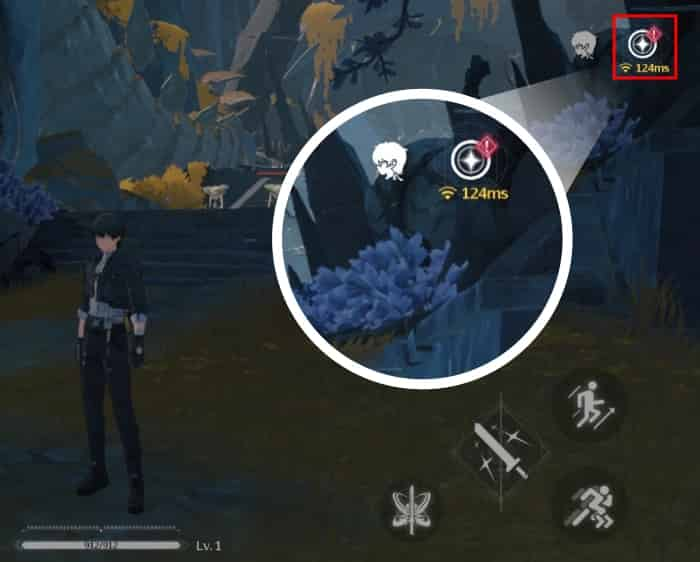
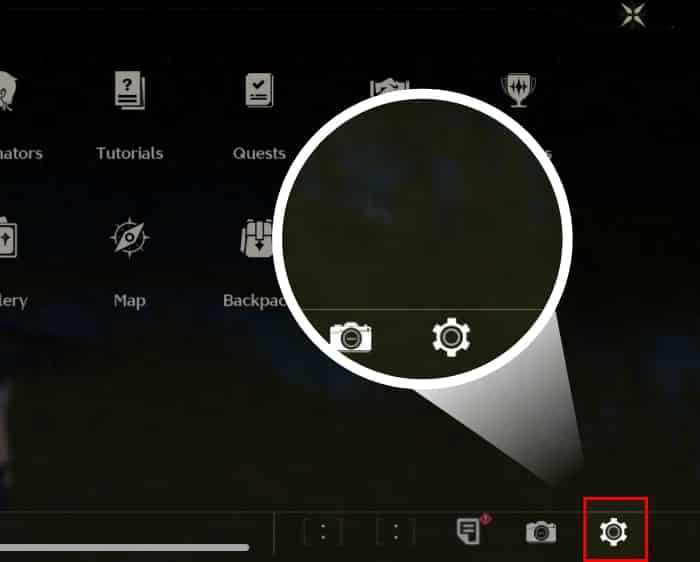
2. Scroll down to the last one and find Account Settings, and click "Go" in the User Center.
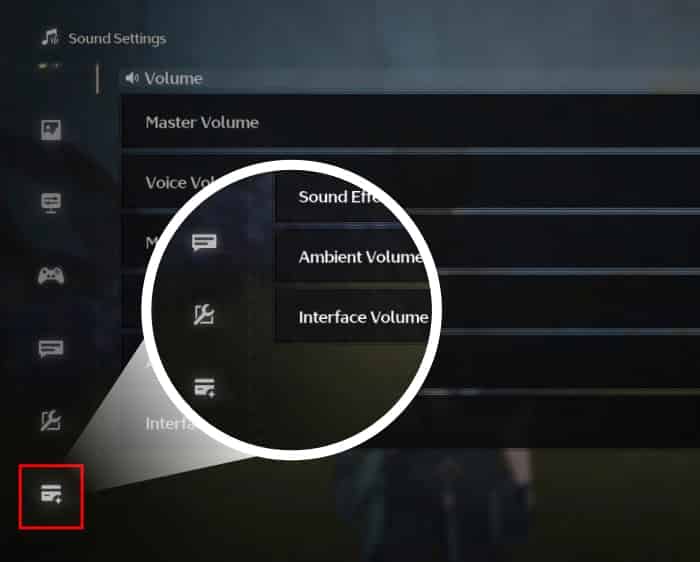
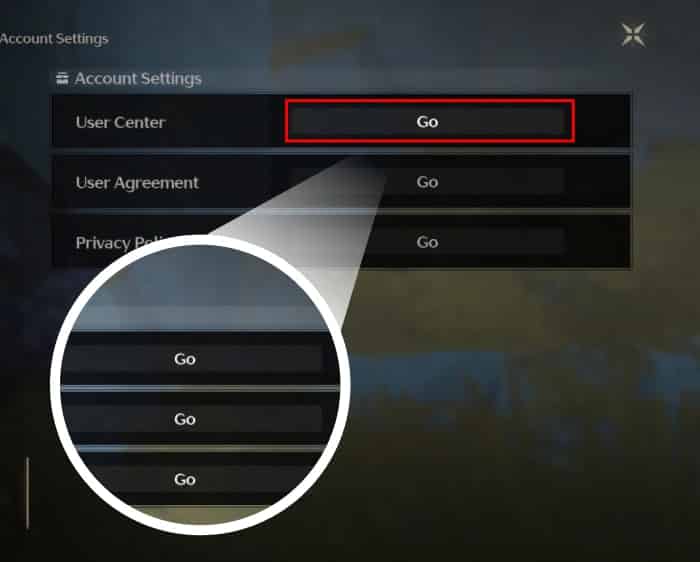
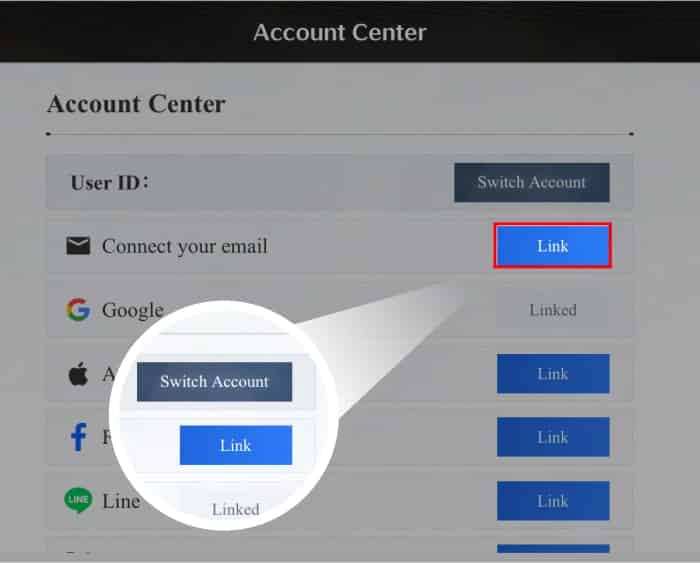
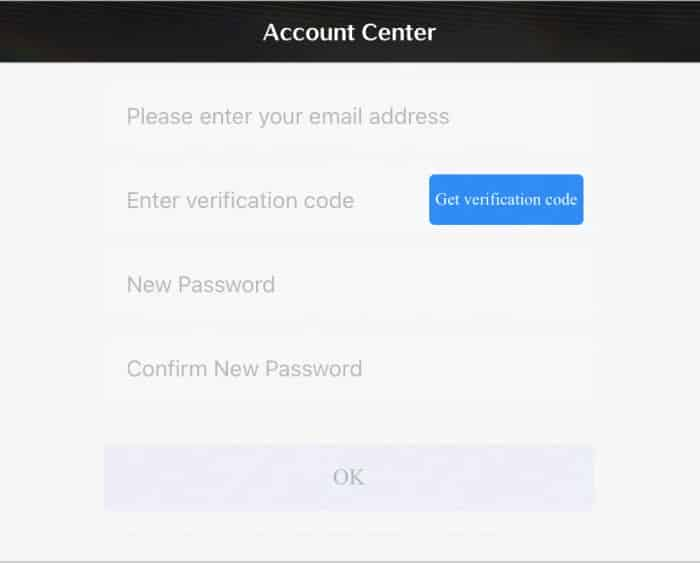
3. On the Account Center page, click "Link" of Connect your email, enter email address and click "Get verification code". You will receive a six-digit verification code in your email. Enter the verification code and set a password, then click "OK" to complete the account binding.
4. If you haven't topped up in-game or via any platforms before with your character, you'll enjoy the following benefits:
【First Top Up Wuthering Waves Lunite Bonus】
If you have already topped up in-game or via any platforms before with your character, you'll obtain the following:
- Top up 300 Lunite to receive 300+300 Lunite
- Top up 980 Lunite to receive 980+980 Lunite
- Top up 1980 Lunite to receive 1980+1980 Lunite
- Top up 3280 Lunite to receive 3280+3280 Lunite
- Top up 6480 Lunite to receive 6480+6480 Lunite
Bonus Giveaway
If you have already topped up in-game or via any platforms before with your character, you'll obtain the following:
- Top up 300 Lunite to receive 300+30 Lunite
- Top up 980 Lunite to receive 980+110 Lunite
- Top up 1980 Lunite to receive 1980+260 Lunite
- Top up 3280 Lunite to receive 3280+600 Lunite
- Top up 6480 Lunite to receive 6480+1600 Lunite
Wuthering Waves (Login Top-Up) — FAQ
1) What does “Login Top-Up” mean for Wuthering Waves?
Login Top-Up means the recharge is completed by logging into your account to purchase subscriptions/passes/items on your behalf (instead of UID-only delivery).
2) What information is required for Wuthering Waves login top-up?
Typically:
- Your account login method
- Verification (OTP / email code) if prompted
Do not share any unrelated sensitive information.
3) Is login top-up safe for gacha accounts?
It can be safe only when handled carefully, but it is inherently higher risk than UID-only top-ups. Key safety factors:
- Only proceed if you can verify communications and reach Online customer service
- Avoid password sharing outside the official order flow
4) How should I prepare my account before ordering?
Recommended:
- Make sure email/phone binding is correct
- Ensure you can receive verification codes during processing
- Turn on security protections (2FA) if available
- Record your account/server info in case support needs it
5) Do I need to log out during processing?
Yes, it’s recommended to log out and avoid logging in until the order is completed to prevent login conflicts or verification loops.
6) How long does Wuthering Waves login top-up take?
Login top-ups often take ~10–30 minutes, sometimes longer if verification prompts appear or the purchase requires manual confirmation.
7) What if I get a “new device login” or “suspicious login” warning?
This can happen. Confirm it matches your order time. If anything looks wrong (wrong region/time), contact Online customer service immediately and consider changing your password.
8) Can I keep playing while the top-up is being done?
It’s not recommended. Playing/logging in during processing can cause interruptions or delays. Wait until the order is confirmed completed.
9) Should I change my password after the top-up is completed?
Yes. After completion:
- Change your password
- Review recent login history (if available)
- Log out of other sessions/devices
10) What is the refund policy for Wuthering Waves login top-up?
Refunds depend on delivery status. If the order is completed and items/subscriptions are delivered, refunds are usually not possible. For failed/duplicate payments, contact Online customer service with your order number and proof.

隱私加密,帳號無憂
採用銀行級資料加密技術,嚴格保護您的登入資訊。

閃電充值,秒速到帳
提供極速充值體驗,下單後平均 3–5 分鐘 即可到帳!

24/7 全天候,隨叫隨充
自動化處理系統與人工客服 24 小時線上,隨時為您解決燃眉之急。

官充品質,口碑見證
告別黑卡風險,我們堅持 100% 正規白卡充值,全程合規操作。