

沒有想要的遊戲禮包?
儲值指南
eFootball Top-up Guidance
Note:
Please ensure that you fill in the required information accurately, following the top-up guidance, to receive your Coins within a few minutes(The actual purchase limit for the gift package is subject to the in-game rules, and any excess amount will be refunded at the purchase price).
Please stay in contact with customer service to provide a screenshot of the package you want to purchase and keep the account offline.
Applicable Platform
eFootball Mobile(IOS Only)
Applicable Server
International Server
eFootball Top-up Required Information
1. Account(Konami/Email)
2. Password
3. User ID
How to find your User ID?
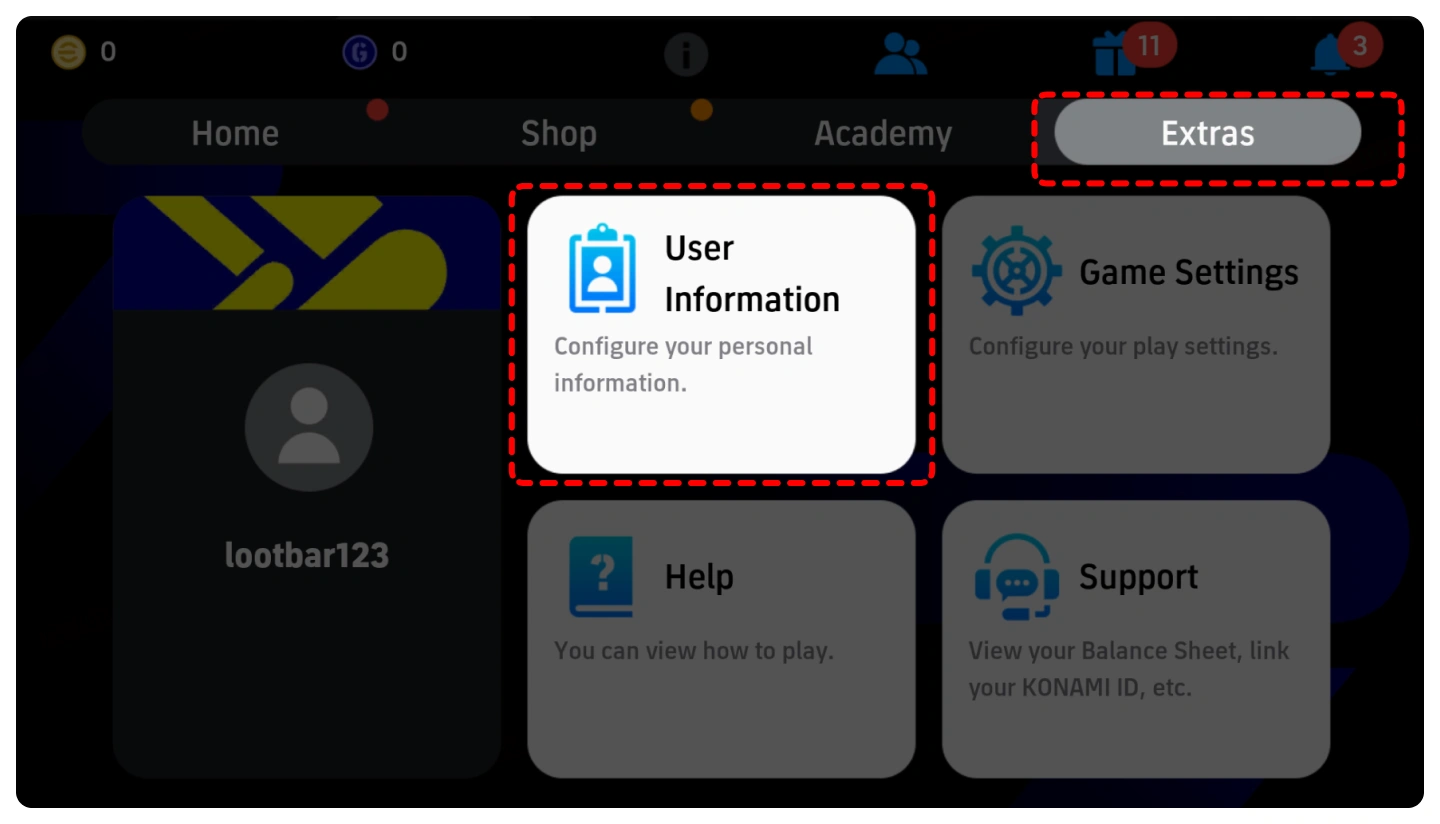
1. Tap "Extras" at the bottom of the home screen, and choose"User Information".
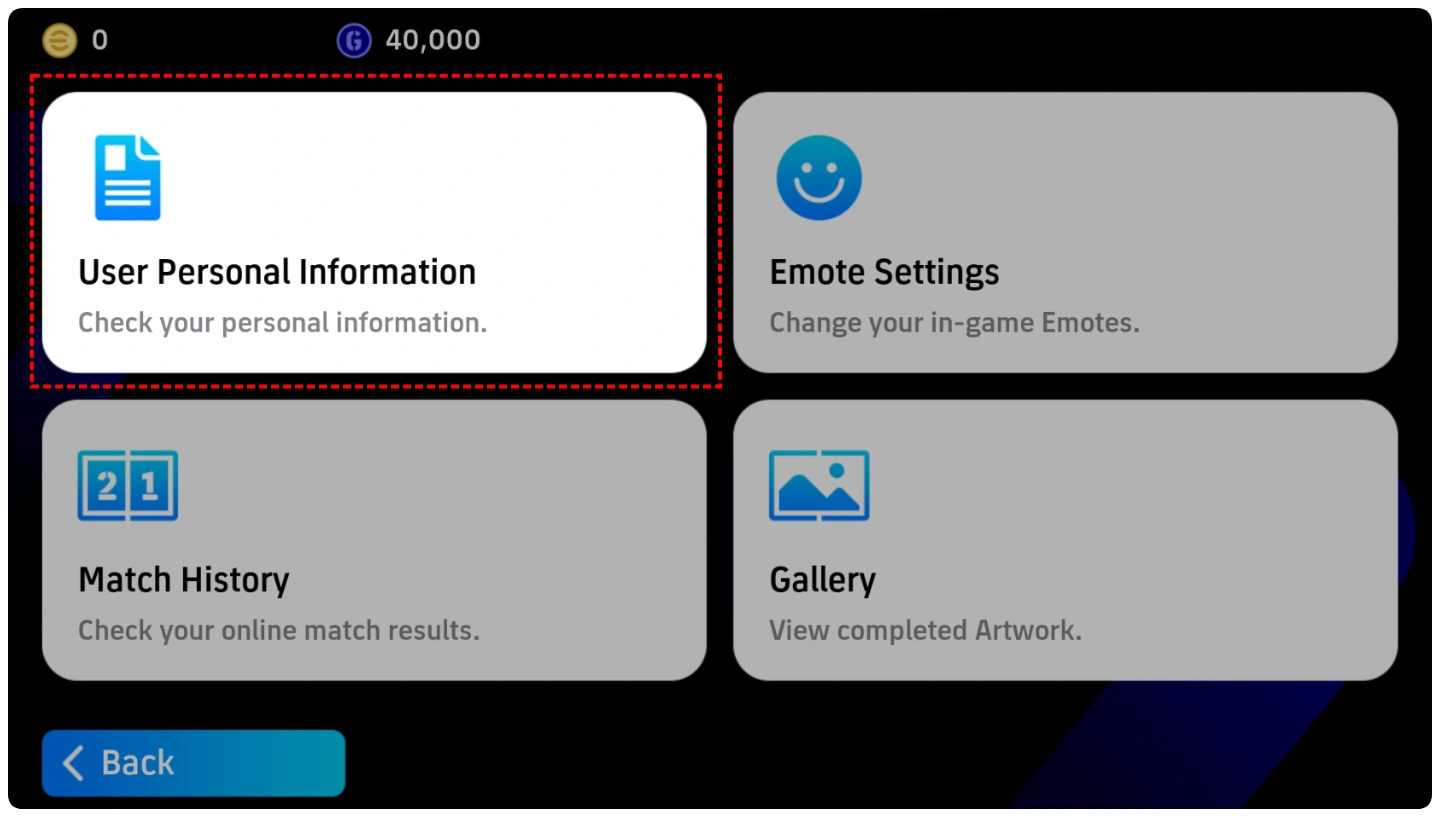
2. Tap "User Personal Information".
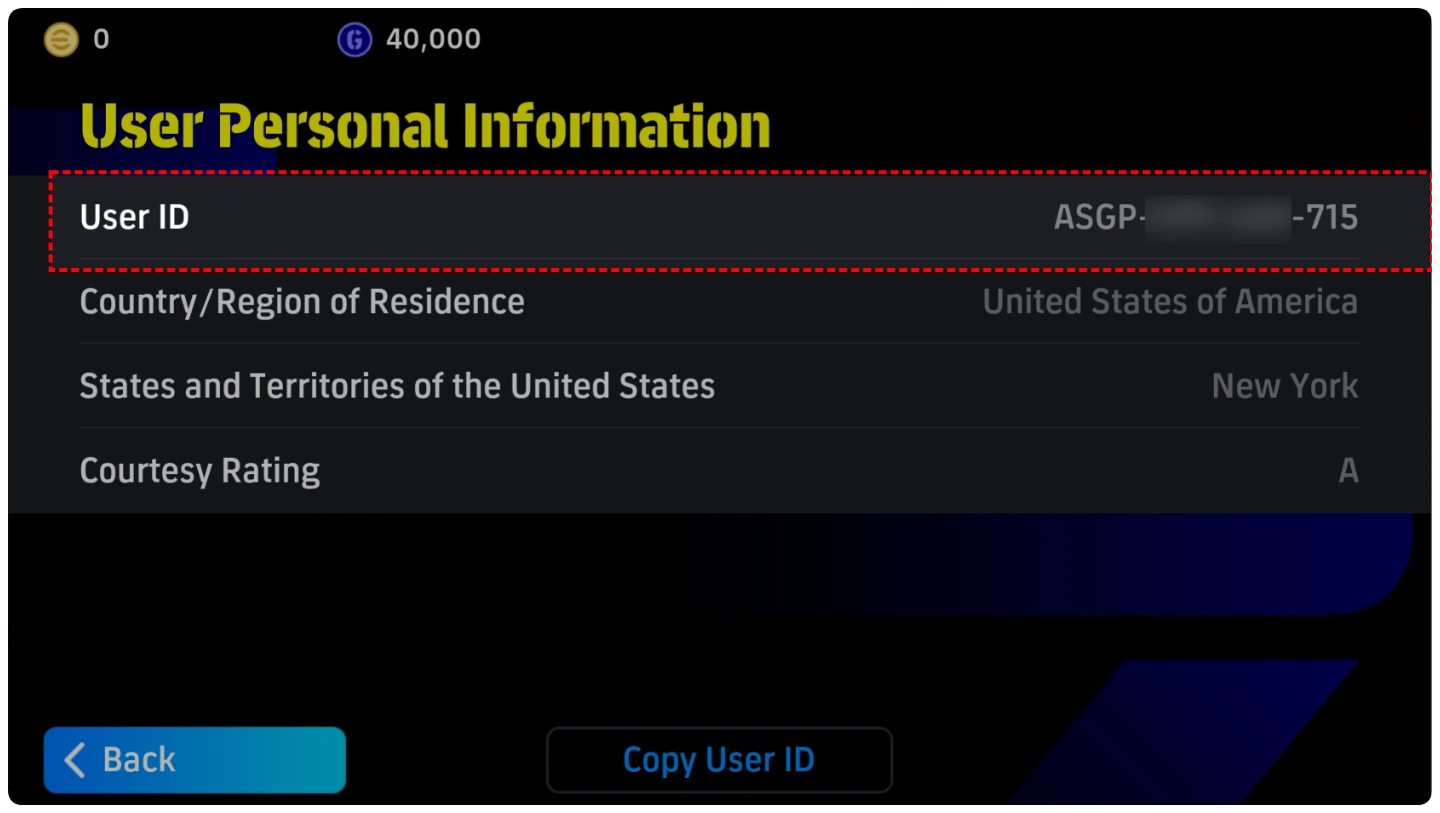
3. Find your "User ID" at the top.
How to link data to the account in eFootball?
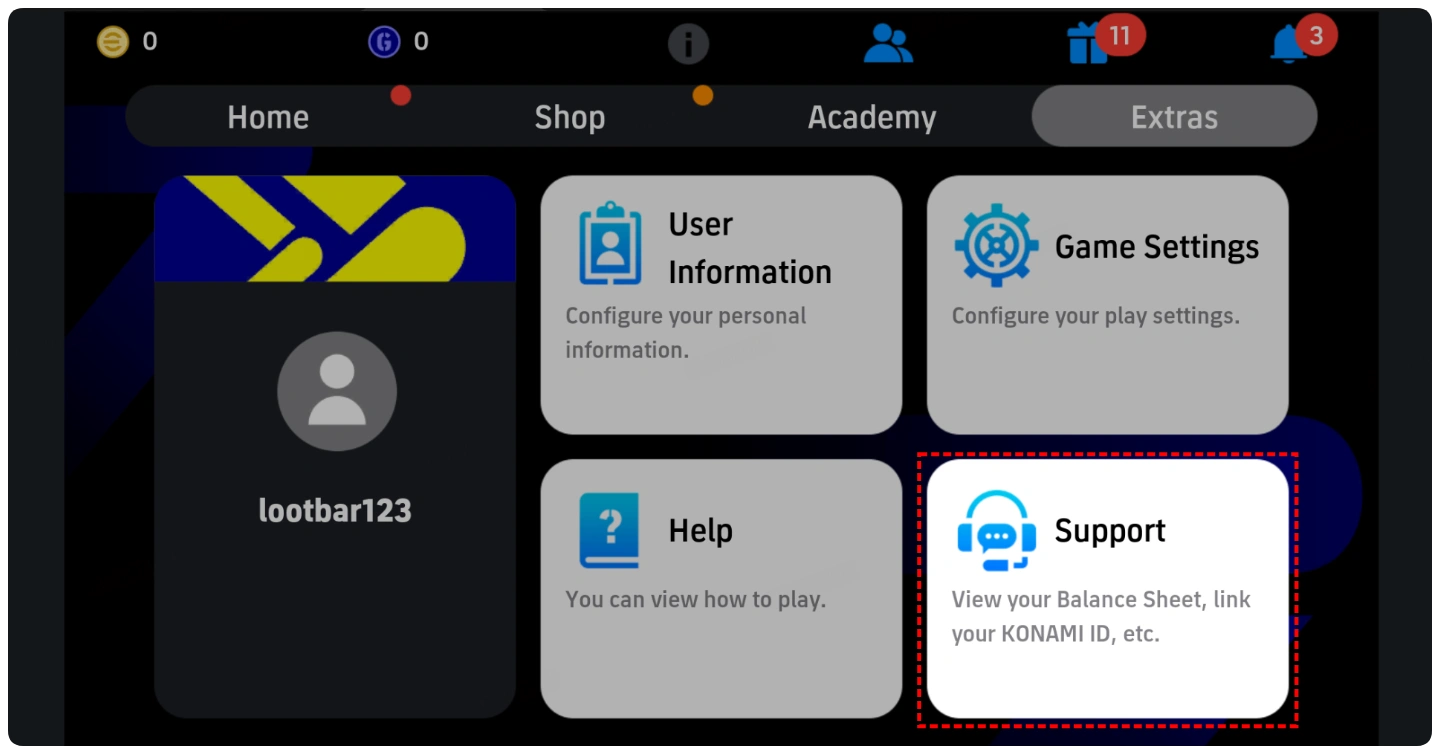
1. Tap "Extras" at the bottom of the home screen and choose "Support".
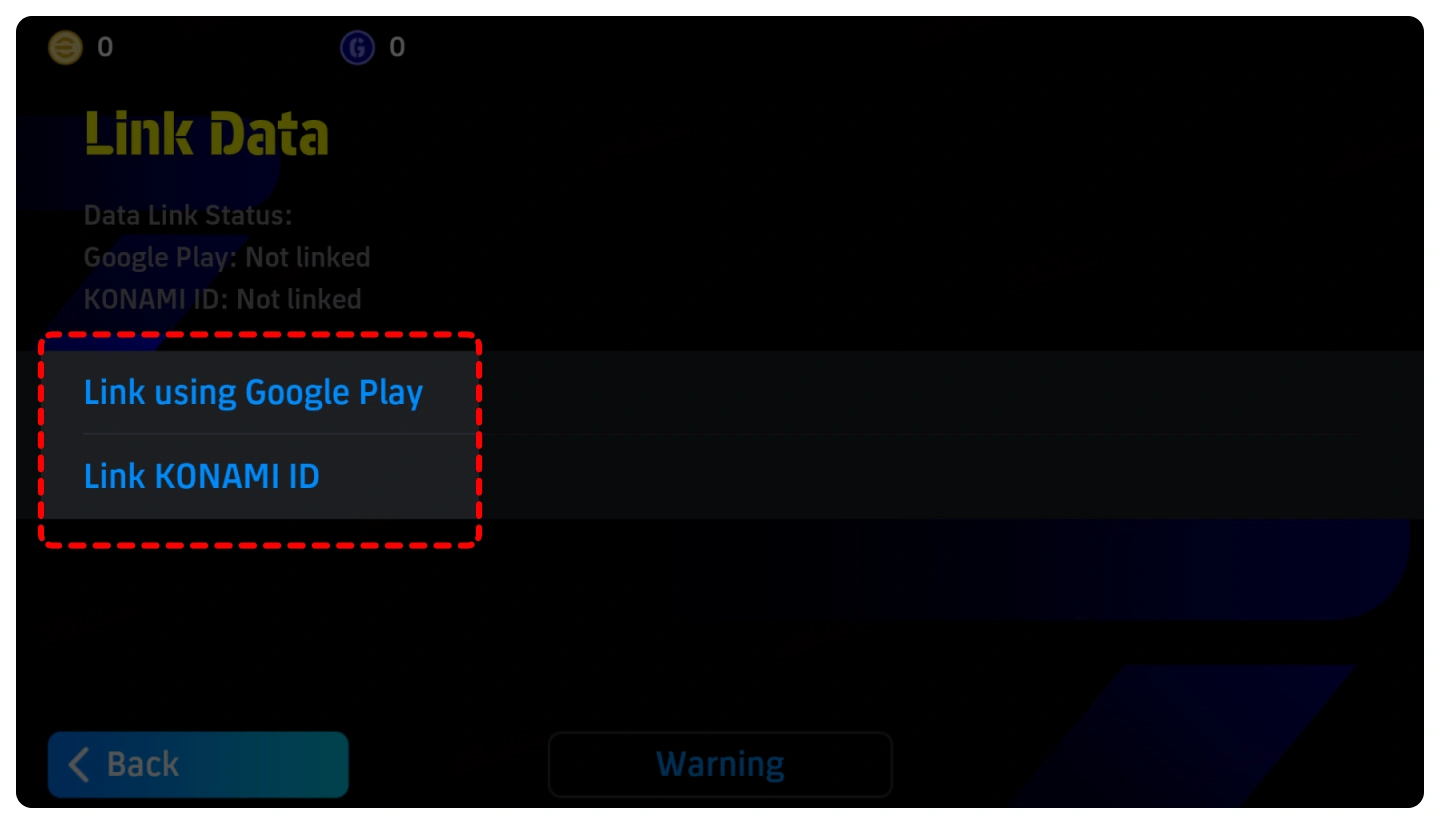
2. Tap "Link Data".
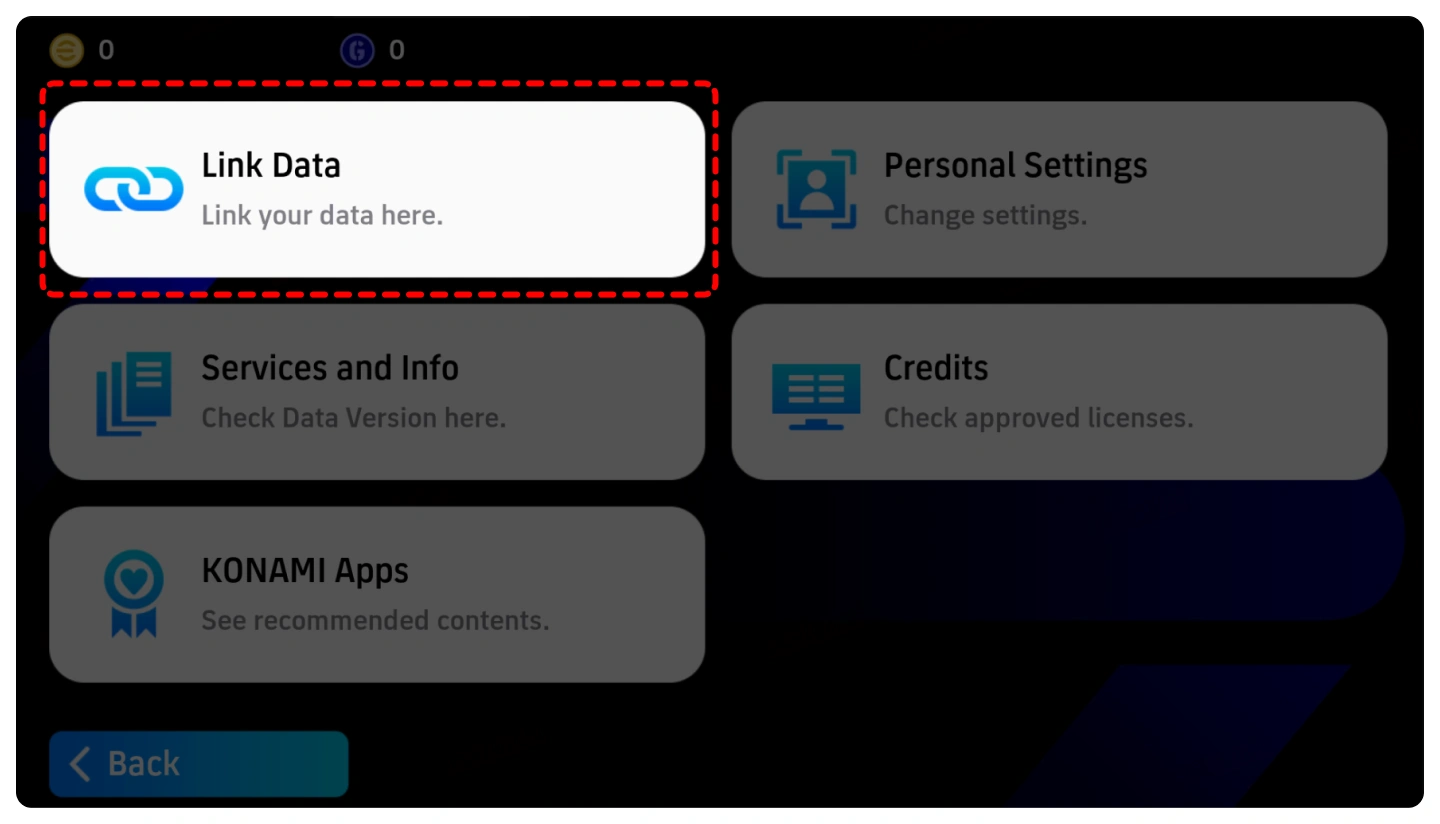
3. Choose your login method and complete the link according to the instructions.
Top-up Procedures
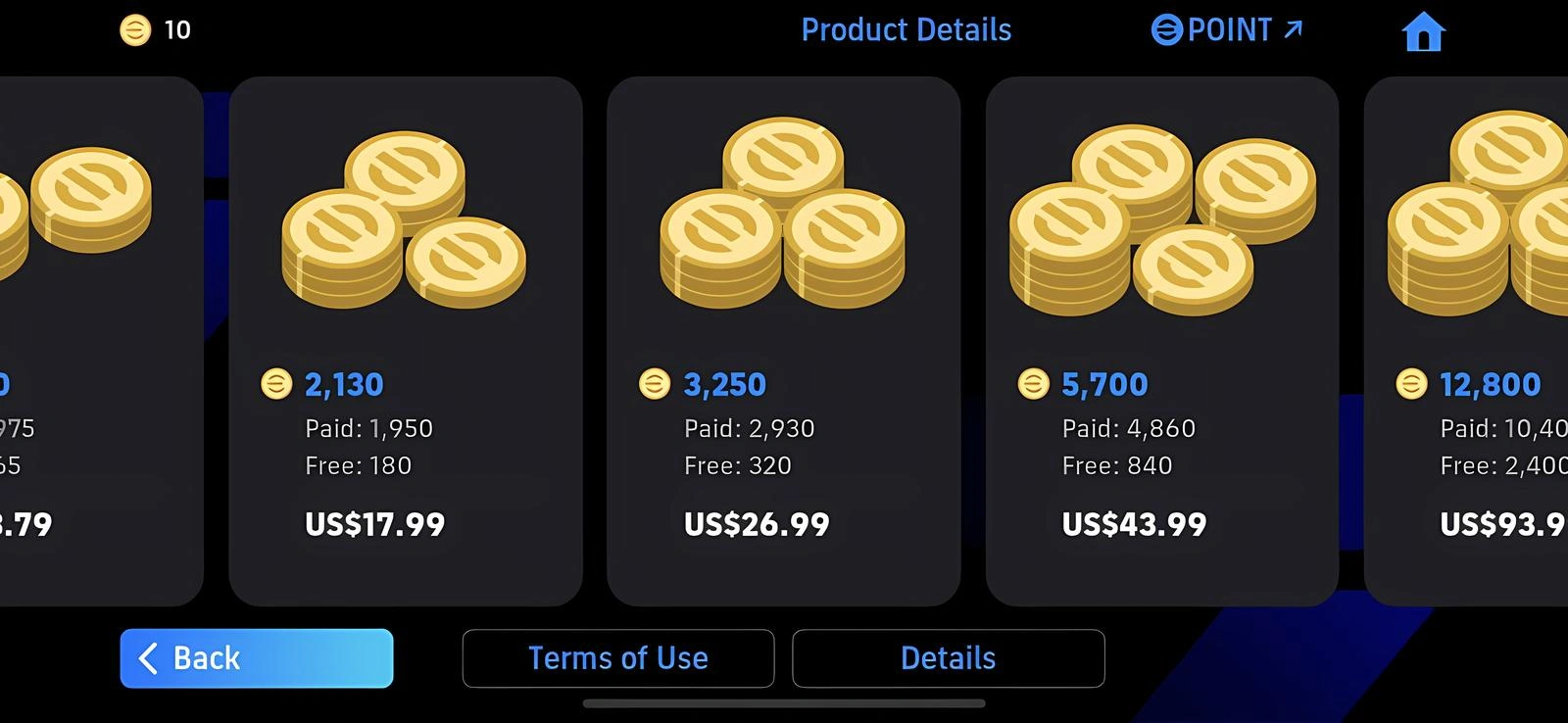
1. Click the gift pack or Coins you want and complete the payment.
2. Please provide your account information after the payment so we can log in and complete the top-up. Please do not log in to the game during this process.
3. We will top up the items in the game based on the product you ordered.
4. After we complete the top-up, we will log out of your account and clear the login history.

2026/09/01 05:39:06

隱私加密,帳號無憂
採用銀行級資料加密技術,嚴格保護您的登入資訊。

閃電充值,秒速到帳
提供極速充值體驗,下單後平均 3–5 分鐘 即可到帳!

24/7 全天候,隨叫隨充
自動化處理系統與人工客服 24 小時線上,隨時為您解決燃眉之急。

官充品質,口碑見證
告別黑卡風險,我們堅持 100% 正規白卡充值,全程合規操作。