

欲しいゲーム ギフト パックがありませんか?
ストアドバリューガイド
RAID: Shadow Legends Top-Up Guide
Please be sure to fill in the required information accurately to avoid delay on receiving your Gems. Please stay in contact with customer service to provide Screenshot of the package you want to purchase.
Applicable Platforms
RAID: Shadow Legends Mobile
Applicable Region/Server
International Server
Required information for recharging
1.Login Method(Plarium ID/ Google/ Facebook)
2.Account
3.Password
4.Character Name
How to obtain your RAID: Shadow Legends Top-up Information?
1. You can obtain your Login Account details in the Account page. If you are logged in as a guest, please bind your Plarium ID/ Google/ Facebook Account in accordance with the following guidelines.
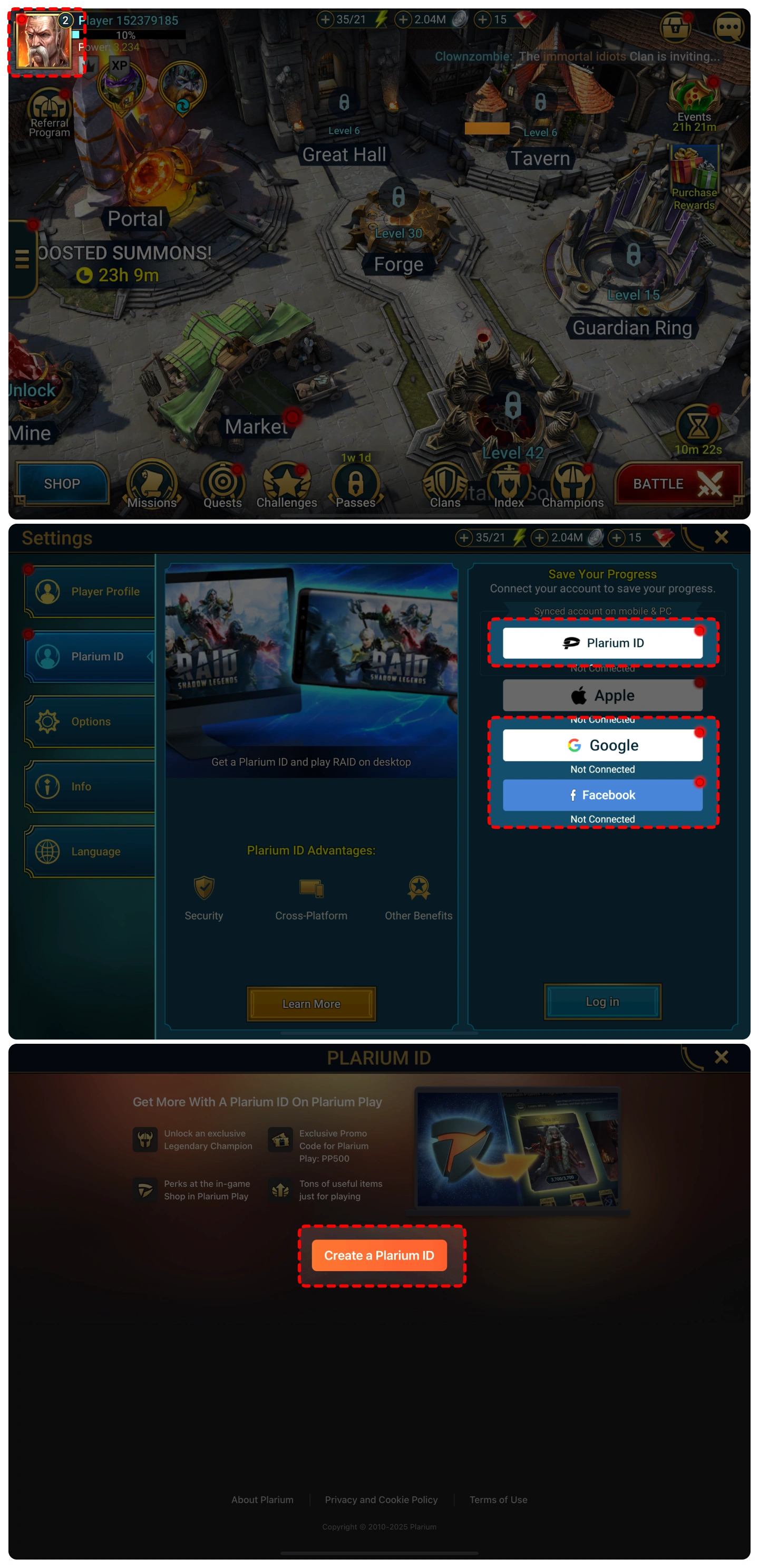
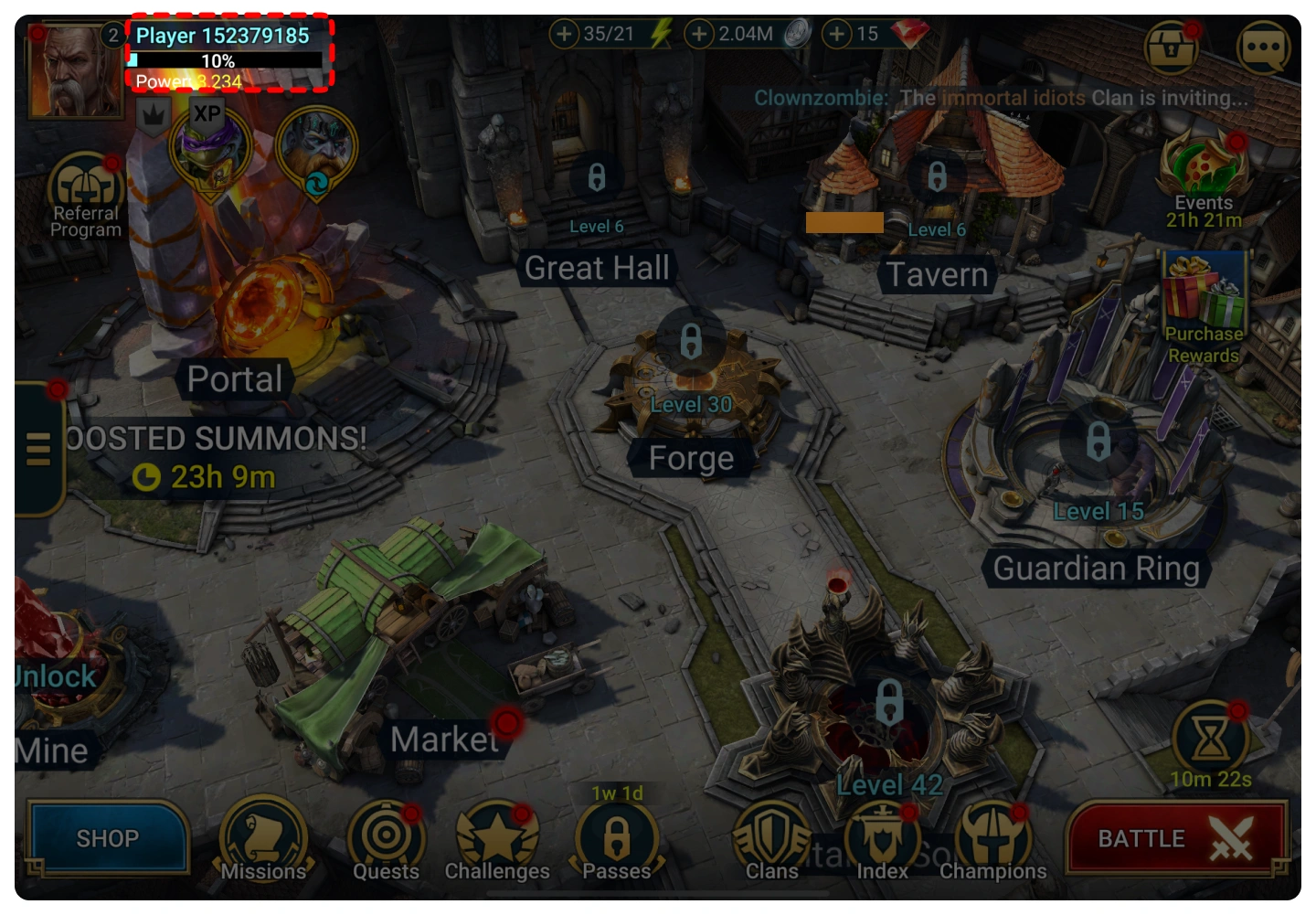
2. You can find your character name in the top-left corner of the main screen.
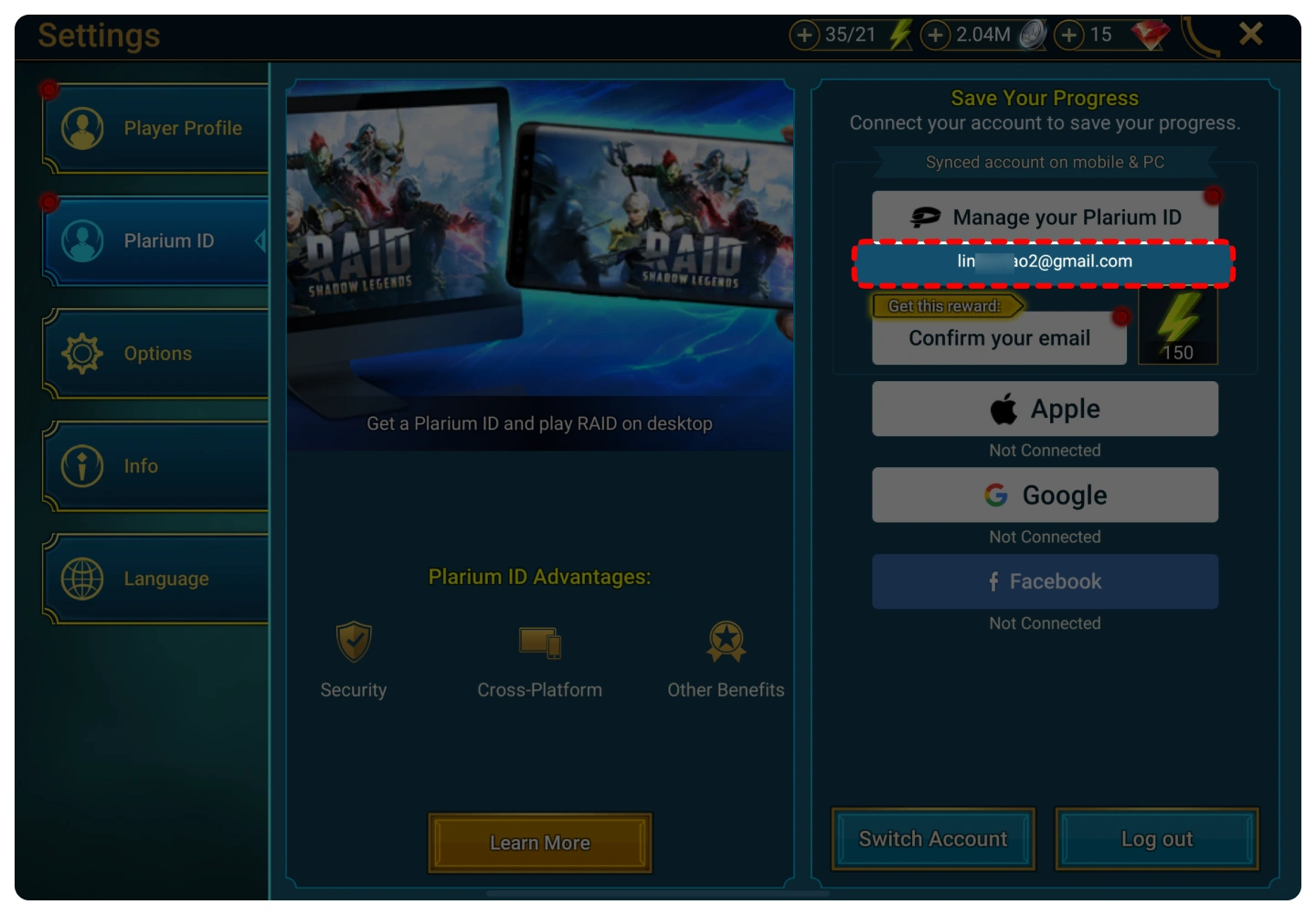
3.Your Plarium Account is displayed below the “Manage your Plarium ID” button.
Top-up Procedures
1. Place your order and complete the payment.
2. Please provide your account information after the payment for us to log in and complete the top-up. Please do not log in to the game during this process.
3. We will purchase/top up the items in the game based on the product you ordered.
4. After we complete the purchase/top-up, we will log out of your account and clear the login history.
5. You will receive a notification once the top-up is complete, and you can then log in to the game to verify the transaction.

プライバシー暗号化、安心アカウント
銀行レベルのデータ暗号化技術を使用して、ログイン情報を厳密に保護します。

ライトニングリチャージ、即時支払い
注文後平均 3 ~ 5 分という超高速充電体験を提供します。

年中無休、通話中に充電
自動処理システムと手動のカスタマー サービスは 24 時間オンラインで対応しており、いつでも緊急のニーズを解決できます。

関中の品質、口コミによる証言
ブラック カードのリスクに別れを告げ、当社は 100% 定期的なホワイト カードのリチャージを主張し、プロセス全体が準拠しています。